
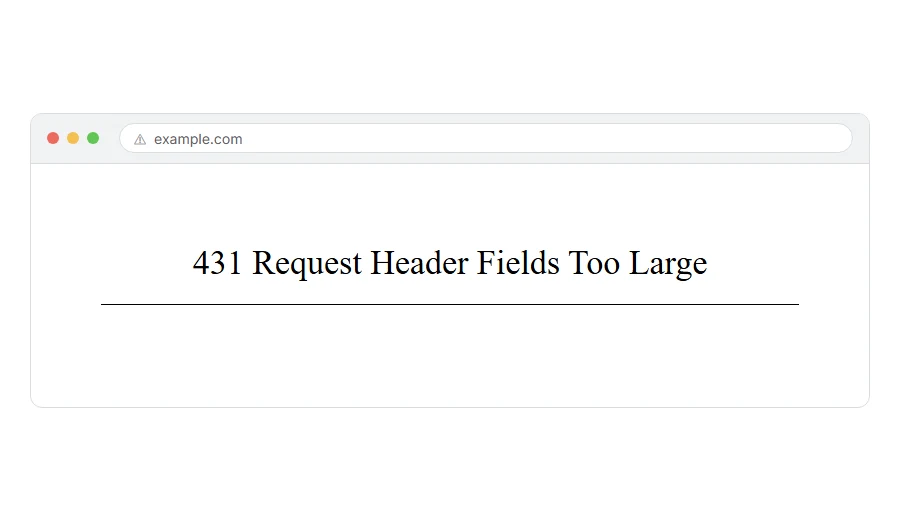
You are looking at 431 Request Header Fields Too Large, and probably nothing else. No explanation, no link, just the number and the phrase.
In one line: the information your browser sends before the page, mostly cookies, grew too big for the server to accept.
Think of it like posting a letter with so many stamps and stickers on the envelope that it will not go through the slot. What is inside is fine. The outside is the problem.
Do not worry, you are not alone, and this one has a genuinely quick fix. I am here to help.
The fix, if you are a visitor
Clear the cookies for that one site. Not all your cookies, just that site’s.
In Chrome, click the icon to the left of the address bar, choose Cookies and site data, then Manage on-device site data, and delete the entries for that site. Reload the page.
In Firefox, click the padlock, then Clear cookies and site data.
In Safari, go to Settings, Privacy, Manage Website Data, search for the site and remove it.
You will be signed out of that site and any preferences it stored will go. Nothing else on your computer is affected.
If you want to confirm before deleting anything, open the page in a private window first. A private window sends no cookies, so if it loads there, cookies were the cause.
When this will not help: if the private window gives the same 431, cookies are not your problem. Private windows skip most extensions too, so the likely cause is the site itself or a VPN or proxy in between.
Where it actually breaks
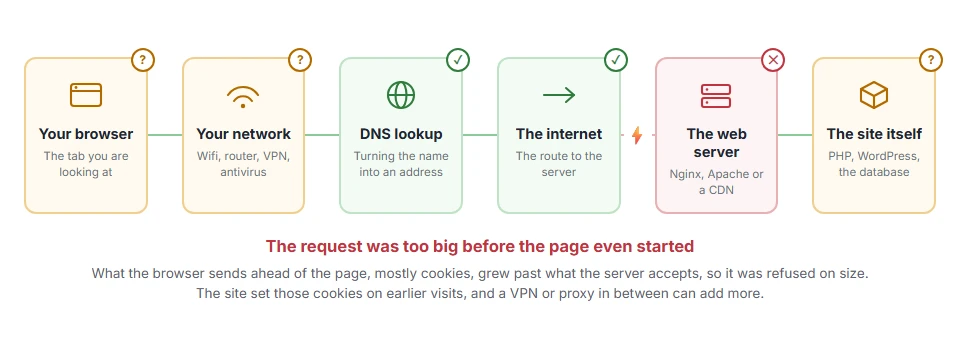
Every page you open makes the same journey. Knowing which step this error stops at tells you which half of the list below is worth your time, because the green steps are already proven to be working.
Why the cookies got so big
Worth knowing so you understand why it came back.
Every cookie a site sets is sent back with every single request. A handful of small ones is nothing. But some sites, and especially some plugins, store a lot in them, and they accumulate rather than clean up.
Sites that use several third party services, or that have been logged in to for a long time, are the usual ones to hit the limit.
If it keeps coming back on the same site, that site has a problem to fix and clearing cookies is only buying you time.
If it is your own site
Then visitors are being locked out and it is worth doing properly, because the quick fix is the wrong one here.
First, find out what is actually large
Do not guess. Open your own site, press F12, go to the Network tab, click any request and look at the Request Headers.
The Cookie line is usually the culprit. If it is thousands of characters long, you have found it, and you can see which cookies are responsible by name.
Then fix the cause rather than the symptom
Cut the cookie down. If a plugin is storing data in a cookie that belongs in the database or in a session, that is the real bug. The plugin author needs to hear about it.
Stop setting cookies you do not use. Sites accumulate them from services that were tried once and abandoned. Those cookies keep being sent forever.
Set a sensible expiry. A cookie set to last for years keeps adding weight.
Raising the limit is the last resort, not the first
You can raise it. In Nginx that is large_client_header_buffers. In Apache it is LimitRequestFieldSize. In Node it is --max-http-header-size.
But raising the limit on a cookie that is growing without bound only moves the wall further away. It will be hit again, and by then it will be worse.
Raise it when your headers are legitimately large, for example a long authentication token you cannot shorten. Do not raise it to paper over a plugin misbehaving.
When this will not help: on shared hosting you cannot change any of these limits. Only your host can, and if a plugin of yours is the cause, they will rightly tell you to fix that instead.
431, 400 and 413 are three different sizes
They get confused constantly, and the difference tells you where to look.
431 means the headers were too large. Cookies, almost always.
400 can also be caused by oversized headers, because some servers report it that way rather than using 431. The fix is the same.
413 means the body was too large. That is a file upload, not cookies, and a completely different fix.
So if you are uploading something and get 413, none of this page applies. If you are simply loading a page, 431 and 400 are cousins and clearing cookies is your first move for both.
Frequently asked questions
Will I lose anything by clearing cookies for that site? You will be signed out of it and any settings it remembered will reset. Your other sites, your passwords and your files are untouched.
Why does it keep coming back on the same site? Because that site is setting cookies that keep growing. Clearing them resets the clock but does not fix the cause. Only the site owner can.
Why does it work in a private window? Because a private window carries no cookies. That is the clearest possible confirmation of the diagnosis.
Is it dangerous? No. Nothing has been breached. It is a size limit, and the server refusing is the correct behaviour.
If you have any issues, you can ask me via comment, and I will love to help you out.
The other size limit, for the body
This one is about the headers being too long. If the thing that was too big was a file or a form rather than the headers, the server answers 413 request entity too large instead, and the limit for that lives in up to four different places on a server.
