
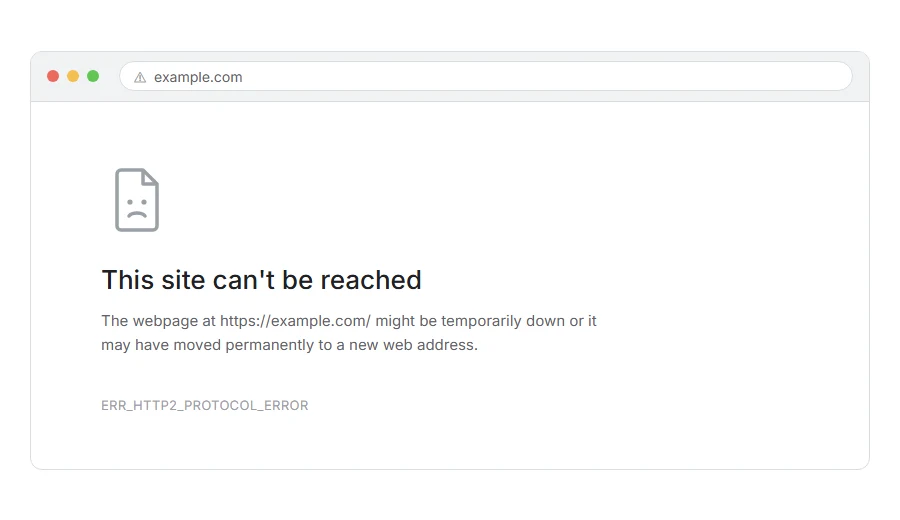
You are looking at a page that loaded halfway, or not at all, and Chrome is telling you ERR_HTTP2_PROTOCOL_ERROR. Often some of your images appear and the rest do not, which makes it look as though the site is falling apart in front of you.
In one line: your browser and the server were talking in HTTP/2 and lost track of each other partway through.
Think of it like two people reading from the same script and one of them skipping a page. Nobody is lying, nobody has hung up, they are just no longer in the same place, so the conversation stops.
Do not worry, you are not alone. This one is annoyingly vague on purpose, because the browser genuinely cannot tell you more than “that was not valid”. I am here to help you narrow it down.
What HTTP/2 is, quickly
Worth thirty seconds, because it explains why the error looks the way it does.
Old HTTP asked for one thing at a time down one line. HTTP/2 sends many things at once down the same line, chopped into pieces and reassembled at the other end.
That is much faster, but a mistake can go two ways. Sometimes only the one file that went wrong fails, and the rest of the page carries on loading. If the pieces stop lining up badly enough, the whole connection is dropped, and every file still loading on it fails too.
That is why you often see half a page rather than a clean error.
Where it actually breaks
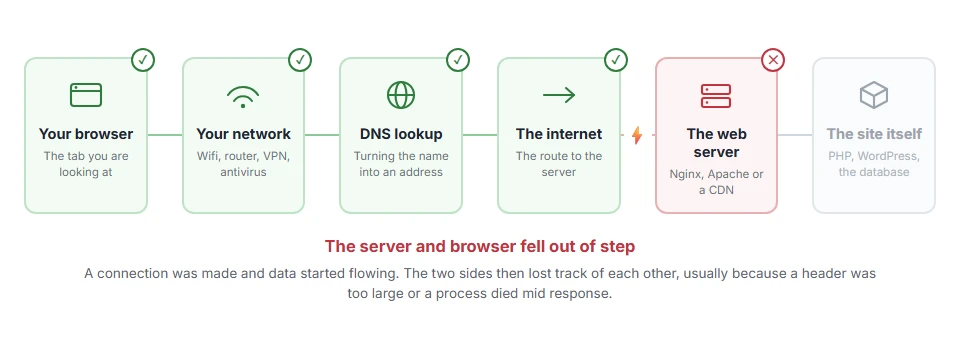
Every page you open makes the same journey. Knowing which step this error stops at tells you which half of the list below is worth your time, because the green steps are already proven to be working.
Step 1: Work out whose side it is on
Thirty seconds, and it decides everything that follows.
Open the same page on your phone over mobile data, in a different browser. If it works there, the problem is your machine or your network. If it fails there too, it is the server.
When this will not help: if the site is yours, the answer may be “both”, because a server misconfiguration can affect some clients and not others. Read both halves below.
If it fails only for you
Turn off QUIC in Chrome
Chrome’s newer protocol sits alongside HTTP/2 and can produce this error when something in the middle interferes with it.
Go to chrome://flags, search Experimental QUIC protocol, set it to Disabled, and relaunch.
When this will not help: only Chrome and Chrome based browsers have this flag. Firefox and Safari do not.
Turn off your antivirus HTTPS scanning
Security suites that inspect encrypted traffic sit between you and the server and rewrite the conversation. Doing that correctly with HTTP/2 is hard, and several get it wrong.
Turn off HTTPS scanning, SSL scanning or web shield for two minutes to test, then turn it back on.
When this will not help: Windows Defender does not do this by default. Third party suites are the usual cause.
Try a private window with extensions off
An extension that rewrites requests can break the framing in exactly this way. A private window disables most extensions by default, which makes it a quick test.
When this will not help: some extensions are allowed in private windows. If you suspect one, disable them properly and test again.
Clear the browser cache
A partly downloaded file stuck in the cache can cause a repeat failure on the same page. Clearing it costs little.
When this will not help: if the error happens on the very first visit to a page, there was nothing cached to be wrong.
If it fails for everyone, and it is your site
Now we are looking at the server, and there are four usual causes.
An oversized header
This is the most common one by a distance and it is easy to miss.
HTTP/2 limits how large headers can be. A very large cookie, a long referrer, or a session that keeps growing can push a request past the limit, and the connection is dropped rather than the header trimmed.
Look at your cookies for the site. A plugin storing a lot of data in one is the usual culprit. Cutting it down fixes it.
Server or module bugs
Older Nginx and Apache builds had genuine HTTP/2 bugs that produce this, and some of them only appear under load.
Ask your host what version they are running and whether it is current. This is not something you can patch yourself on shared hosting.
The connection dropping mid stream
If a PHP process crashes halfway through building a response, the stream ends where HTTP/2 does not expect it to.
Check your PHP error log around the time of the failure. A fatal error there is the real cause, and this protocol error is only how it looks from outside.
Your CDN and origin disagreeing
Cloudflare and similar services use one connection to the visitor and a separate one to your server. A mismatch in the middle can produce this on the visitor’s side while your server looks perfectly healthy.
Pause the proxy for a moment and see whether the error goes.
The test that tells you it really is HTTP/2
If you want to be certain rather than guessing, force the connection down to HTTP/1.1 and see whether the problem disappears.
The simplest way is a command line request with the protocol pinned:
curl -I --http1.1 https://yoursite.com/If that works and the same request over HTTP/2 fails, you have confirmed where the problem lives. That is much better evidence than trying fixes one at a time and hoping.
When this will not help: this tells you the protocol is involved but not why. You still need the four causes above to find the reason.
Frequently asked questions
Should I just turn HTTP/2 off? As a permanent answer, no. It makes sites noticeably faster and turning it off is trading a real benefit for a workaround. As a temporary test, yes, because it proves where the problem is.
Why do some images load and others not? Because everything shares one connection. When it is abandoned, whatever had not finished stops there. Which files those are is close to random, which is why the page looks different each reload.
Is it a virus? No. It is a protocol level failure. Antivirus software is more likely to be the cause here than the cure, which is the opposite of what people expect.
It only happens on my site and only for some visitors. That pattern points hard at the oversized header cause. Those visitors have a big cookie the others do not, usually from being logged in.
If you have any issues, you can ask me via comment, and I will love to help you out.
The other protocol level failures
Error names are easy to mix up, and the wrong page wastes your time. If what you are looking at is not quite what this one describes, one of these will be closer.
- ERR_QUIC_PROTOCOL_ERROR, Chrome tried its newer transport and something blocked it.
- ERR_NETWORK_CHANGED, your connection changed mid load, which looks similar and is not a fault.
