
Chrome has shown you ERR_FILE_NOT_FOUND, often on a blank tab, sometimes every time you open the browser.
Here is the thing that makes this one different from most Chrome errors. It is almost never about a website.
In one line: Chrome tried to open a file on your own computer and that file is not there.
Think of it like clicking a shortcut on your desktop after the program has been uninstalled. The shortcut still exists. What it points at does not.
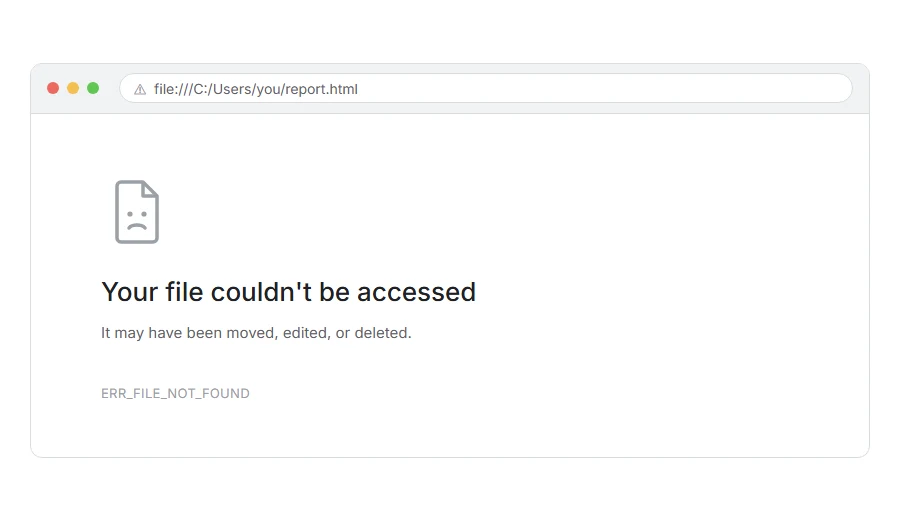
Look at the address bar. If it starts with file:/// rather than https://, that confirms it. Chrome is looking at your hard drive, not the internet.
Do not worry, you are not alone, and there is one cause that explains most of these. I am here to help.
The most common cause: an extension that is half removed
If this appears every time you open a new tab, or every time you start Chrome, this is your answer.
An extension set itself as your new tab page or your home page, and then broke. It is still installed, but a file it needs has gone, and Chrome keeps trying to open it.
How to fix it. Go to chrome://extensions and look for anything you do not recognise or no longer use. Remove it properly with the Remove button rather than just switching it off. An ad blocker or privacy extension causes a different Chrome error, ERR_BLOCKED_BY_CLIENT, when it stops part of a page from loading.
Then go to chrome://settings/onStartup and check what is set to open. If an entry starts with chrome-extension://, or is a file:/// address pointing at a file that is no longer there, delete that entry and set it to open the new tab page or a normal address instead.
Also check chrome://settings/appearance for a home page pointing at a missing file.
When this will not help: if the error only appears when you open a particular file, no extension is involved and the next section is yours.
Where it actually breaks
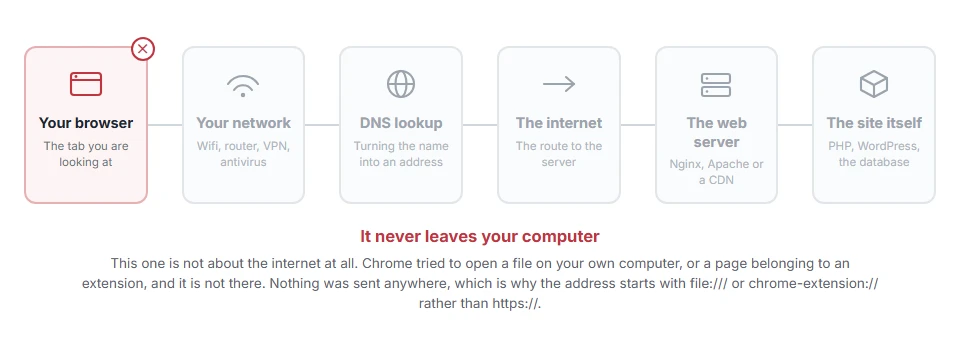
Every page you open makes the same journey. Knowing which step this error stops at tells you which half of the list below is worth your time, because the green steps are already proven to be working.
If it happens when you open a specific file
Then the file really is not where Chrome expects it.
Check the file still exists. Open the folder and look. It may have been moved, renamed, or deleted, or it may be on a drive that is not connected.
Check the name exactly. A missing letter or a changed extension is enough. report.html and report.htm are different files.
Check for spaces and odd characters. Spaces in a path become %20 in the address. If you typed the path by hand rather than dragging the file into Chrome, that is a likely cause.
Try dragging the file into Chrome rather than typing the address. That gives you the exact correct path with nothing mistyped.
When this will not help: if the file is on a network drive that is not connected, no amount of correcting the path helps until the drive is available.
If it happens after downloading something
Chrome sometimes shows this when you click a download that has since been moved or cleared.
Open chrome://downloads and look at the entry. If it says the file was removed, it is gone from your computer and the download list is only remembering that it once existed. Download it again.
When this will not help: if the download was blocked rather than removed, that is a different message and a different problem.
If a bookmark gives it
A bookmark saved from a local file breaks the moment that file moves.
Right click the bookmark, choose Edit, and look at the address. If it starts with file:/// and points somewhere that no longer exists, either fix the path or delete the bookmark.
When this will not help: bookmarks to normal websites never give this error. If a web bookmark fails, that is a different error entirely.
For developers
Two things account for most of these when you are building something.
A relative path that is wrong. Opening a page with file:/// means relative paths resolve against the folder that page is in, which is often not what you assumed while writing it.
A local server that is not running. If your page expects http://localhost:3000 and you opened the file directly instead, everything it tries to load will fail this way. Start the server and open the address rather than the file.
Why the message is confusing
Worth a sentence, because it sends people to the wrong place.
Most ERR_ messages in Chrome are about the network, so people read this one the same way and start checking their internet. Their internet is fine. Chrome never left the machine.
The clue is file:/// or chrome-extension:// at the front of the address, and once you notice it the rest follows.
Frequently asked questions
Is it a virus? Usually not, but an extension you did not install deliberately is worth removing. If you find something in your extensions list you do not recognise, remove it and change your passwords for anything important.
Why does it happen every time Chrome starts? Because your startup page or new tab page is set to a file that no longer exists. The first section fixes that.
Can a website cause this? Only if it links to a file:/// address, which browsers block anyway for security. In practice, no.
I removed the extension and it still happens. A removed extension does not give this error, so something else is still pointing at a missing file. Go to chrome://settings/onStartup and remove the entry pointing at it by hand.
If you have any issues, you can ask me via comment, and I will love to help you out.
When Windows says it instead of Chrome
Chrome calls a missing file ERR_FILE_NOT_FOUND. Windows has its own words for the same thing, often with an error code.
- The system cannot find the file specified, the seven situations it comes from and the fix for each one.
