
Did Python stop with SyntaxError: invalid syntax and a little arrow pointing at a line that looks perfectly fine to you?
The message means Python could not even read your code, so nothing ran. It is always something small, and it is nearly always one of eight mistakes. The arrow shows where Python gave up reading, which is often just after the real problem rather than on it.
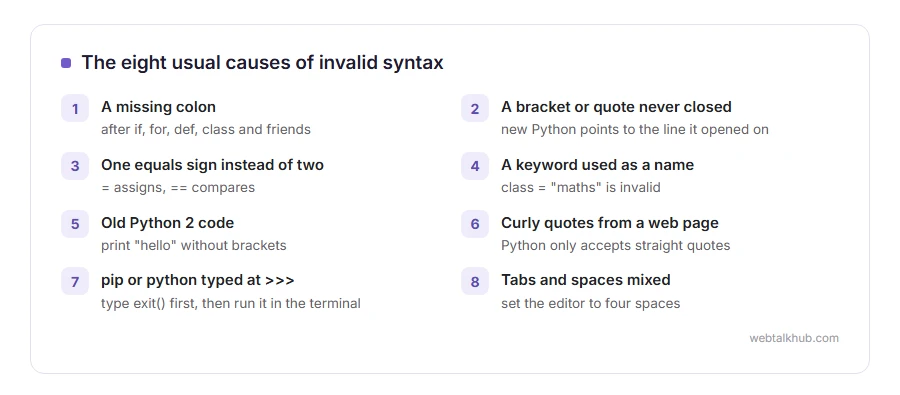
The usual causes are:
- A missing colon at the end of an if, for, def or class line
- A bracket or quote opened and never closed
- One equals sign where two were needed
- A Python keyword used as a variable name
- Old Python 2 code, such as print without brackets
- Curly quotes pasted from a web page or a document
- Typing pip or python at the >>> prompt instead of the terminal
- Tabs and spaces mixed in the indentation
In this guide I will show you each one with the message it gives, so you can match yours to it.
So let’s get started.
1) A missing colon
Every line that starts a block, if, elif, else, for, while, def and class, has to end with a colon.
if total > 100
    print("Free delivery")
Recent versions of Python say SyntaxError: expected ‘:’ and point at the end of the line. Older versions only say invalid syntax.
2) A bracket or quote never closed
An opening bracket on one line and no closing bracket means Python keeps reading, and it only complains on a later line when something cannot possibly be inside the bracket. That is why the arrow points at an innocent line.
Recent versions say ‘(‘ was never closed and name the right line. With older versions, look at the lines just above the one the error names, because adding a bracket where the arrow points will not help when the missing one belongs further up.
3) One equals sign instead of two
In a condition, == compares and = assigns. if count = 5: is an error, and newer versions of Python even suggest the fix: Maybe you meant '==' or ':=' instead of '='?
4) A keyword used as a name
class, def, if, for, import, return, lambda and the other keywords cannot be variable names. class = “maths” is invalid syntax. Use a different name, such as class_name.
5) Old Python 2 code
Code copied from an old tutorial may use print “hello” without brackets. Python 3 answers Missing parentheses in call to ‘print’. Did you mean print(…)?
Imagine reading an old recipe in pounds and ounces: the idea works, and the details need converting. Add the brackets, and check the rest of the tutorial for other Python 2 habits.
6) Curly quotes from a web page or document
Word processors and some websites turn straight quotes into curly ones. Python only accepts straight quotes, and says invalid character ‘“’ (U+201C).
Retype the quotes in your code editor, or paste code into the editor rather than into Word first. Fixing only the quote the arrow points at does not work if the line has more of them, so replace every curly quote in it.
7) Typing pip or python at the >>> prompt
This one catches almost everybody once. The >>> prompt means you are inside Python already, and pip install requests or python script.py are commands for the system’s command line, not Python code.
Type exit() to leave Python, then run the command at the normal terminal prompt. Our guide to what a command line is explains the difference between the two prompts.
8) Tabs and spaces mixed
Indentation made from a mix of tabs and spaces gives TabError or IndentationError, which are kinds of syntax error. They look identical on screen and Python counts them differently.
I recommend setting your editor to insert four spaces when you press Tab, which is what almost all Python code uses, and letting it convert the existing file.
When none of these match
Undo your most recent change, because the error is in what changed since the code last ran. If the line still looks right, it does not work to stare at that line alone: check the line above it, since that is where most of these start.
Our page on what a syntax error is explains the general idea across languages, and a code editor such as Visual Studio Code underlines these mistakes before you ever run the file.
FAQ(SyntaxError: Invalid Syntax)
What does SyntaxError: invalid syntax mean in Python?
Python could not read the code because something breaks its grammar, so none of it ran.
Why does the error point to a line with nothing wrong?
It points where Python gave up reading. The actual mistake is usually just before it, often a missing bracket or colon.
Why do I get invalid syntax when I type pip install?
You typed it at the >>> Python prompt. Type exit(), then run it in the normal command line.
Is IndentationError a syntax error?
Yes. IndentationError and TabError are both kinds of SyntaxError in Python.
Why does code from a tutorial give invalid syntax?
It may be written for Python 2, or the quotes may have become curly when it was copied from the page.
If you have any issues, you can ask me via comment, and I will love to help you out.
What the quotes are there for
Two of the causes above come down to quote marks, and they are easier to get right once you know the job the quotes do.
- What a string is, how quotes mark where text starts and ends, and how to put a quote inside one.
