
Somebody has asked you what does pdf stand for, or you are filling in a form and want to know what you are dealing with.
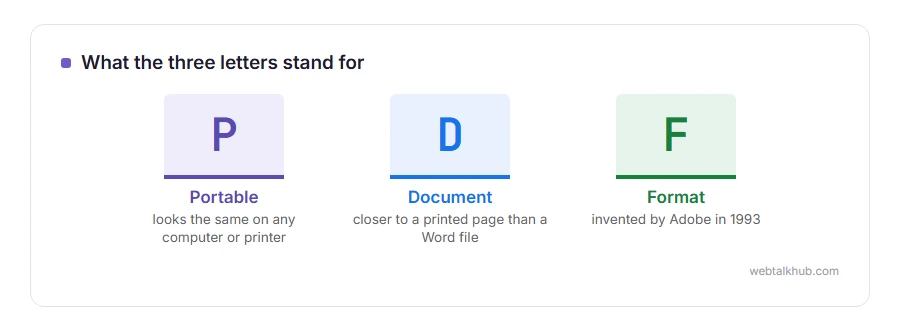
The answer is short: Portable Document Format. The interesting part is what those three words promised when Adobe invented it in 1993, because that promise explains every odd thing a PDF does today, including why editing one is so awkward.
The promise was this: a document that looks exactly the same everywhere. Same fonts, same layout, same page breaks, on any computer, any printer, any year. Before PDFs, a document opened on a different machine with different fonts installed simply fell apart.
So a PDF is much closer to a printed page than to a Word document, and that single fact explains:
- Why the text does not flow when you change a word
- Why it looks identical on a phone, a laptop and a printer
- Why a scanned PDF has no text in it at all
- Why some PDFs can be filled in and others cannot
In this article you will learn what is actually inside one, the three kinds you will meet, and what to do with each.
So let’s get started.
What is inside a PDF
A PDF stores the position of every character and every shape on the page, along with the fonts it needs, normally embedded in the file.
That is why it looks the same everywhere: it usually carries its fonts inside the file, rather than asking your computer for them and hoping. And it is why editing is hard, since moving one line does not push the rest along the way a word processor would.
Think of it as a page that has already been printed, with a list of exactly where the ink went, rather than a document that is still being written.
The three kinds of PDF you will meet
A text PDF, made from a document. You can select the text, copy it and search it. Most PDFs you are sent are this kind.
A scanned PDF, made from a scanner or a phone camera. It looks like a document and it is a photograph of one, so there is no text to select. Searching it finds nothing, unless somebody has run text recognition over it first.
A form PDF, with fields you can click into and type in. Your browser will fill most of them in and save them, with nothing installed, although some older forms still need Adobe Reader.
Which one you have decides what is possible, so check by trying to select a line of text. That takes a second and saves a lot of frustration, because the editing advice on the web does not work on a scan until the text has been recognised.
What you can do with one, free
Filling in and signing most forms needs nothing but a browser: open the PDF in Chrome, Edge or Firefox and type into the fields. If that is all you came for, I recommend that route over installing anything, since it takes a minute and costs nothing.
Joining, splitting or removing pages needs no software either. Our PDF merger does it in your browser with nothing uploaded, and the PDF compressor makes an oversized one small enough to email.
Changing the words themselves is the awkward one, and our page on how to edit a PDF free goes through the routes that work and what each of them costs you in layout.
The thing PDFs are not
A PDF is not a safe way to hide information.
Text under a black rectangle is still in the file, and anybody can copy it out. Metadata such as the author and the software often travels with it. A password that only stops printing or copying can be removed by plenty of tools in seconds.
So treat a PDF as a printed page that anybody can photocopy, not as a locked box. That is worth knowing before you send a contract or a statement with something blacked out on it.
FAQ(What Does PDF Stand For)
What does PDF stand for?
Portable Document Format. Portable in the sense of moving between computers unchanged, rather than small or easy to carry.
Who invented the PDF?
Adobe, in 1993. The company shared the rules for free from the start, which is why any program could read one without asking Adobe for anything. PDF then became an open standard in 2008.
Why can I not edit a PDF like a Word document?
Because it stores where each character sits rather than flowing paragraphs. Editors have to rebuild the layout, and that is why text sometimes moves when you change a word.
What is the difference between PDF and PDF/A?
PDF/A is a stricter version for long term archiving: everything must be embedded and nothing may depend on anything outside the file. Some organisations require it.
Is a PDF safer than a Word file?
Slightly, because it does not carry macros. It can still contain links and scripts, so it is not automatically safe from an unknown sender.
If you have any issues, you can ask me via comment, and I will love to help you out.
Two jobs people do with PDFs every week
Most PDFs are made from a Word file, and plenty arrive locked with a password.
- saving a Word document as a PDF, the route that keeps your links and headings working, and the one that loses them.
- removing a password from a PDF, the free ways to save an unlocked copy when you know the password.
