
Do you want to create an HTML file, for a class, a first web page, or a simple page to open on your own computer, without installing anything?
You need nothing but the text editor that came with your computer. An HTML file is plain text with a name ending in .html, and any browser opens it as a web page. The only part that trips people up is saving it, because both Windows and Mac quietly try to save it as something else.
What you will do:
- Open a plain text editor
- Paste in the starter code below
- Save it with the .html ending, as plain text
- Open it in your browser
This article walks through it on Windows and on a Mac, then covers the two saving mistakes and what to use once you are writing more than a page.
The starter code
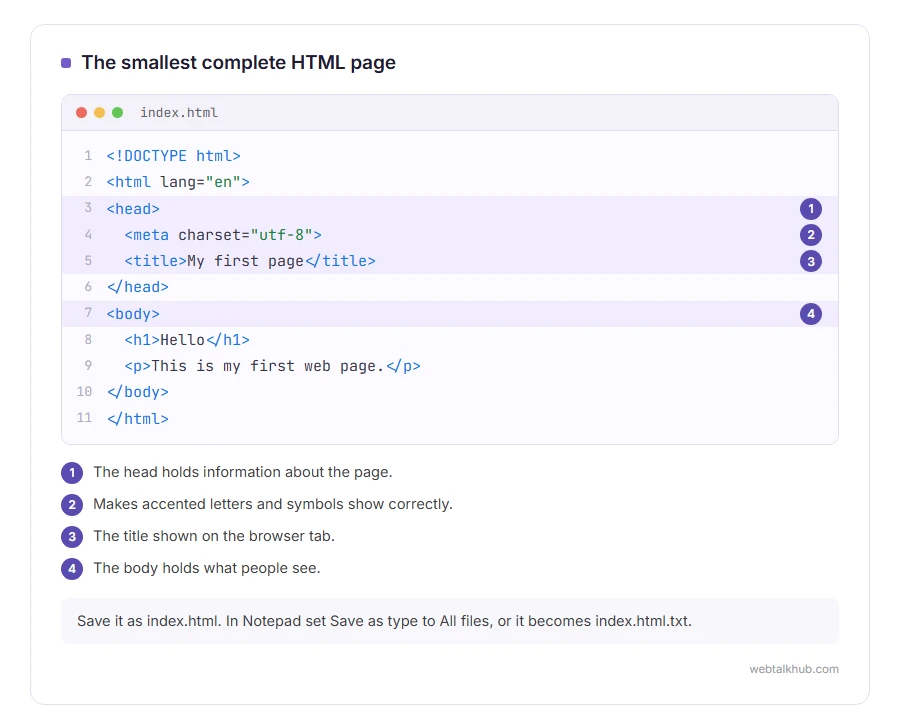
Copy this. It is the smallest complete HTML page, and every part of it is needed:
<!DOCTYPE html>
<html lang="en">
<head>
  <meta charset="utf-8">
  <title>My first page</title>
</head>
<body>
  <h1>Hello</h1>
  <p>This is my first web page.</p>
</body>
</html>
The head holds information about the page, such as the title shown on the browser tab. The body holds what people see. The meta charset line makes sure accented letters and symbols show correctly.
1) On Windows, with Notepad
Open Notepad from the Start menu and paste the code in. Choose File, Save as.
Set Save as type to All files, and Encoding to UTF-8. Type the name index.html and save it somewhere easy, such as the Desktop. Be careful with the Save as type box: left on Text documents, Notepad adds .txt to the end of the name.
2) On a Mac, with TextEdit
Open TextEdit and start a new document. Before pasting anything, choose Format, then Make Plain Text. This step is the one people miss, because TextEdit starts every document as rich text.
Paste the code, then File, Save, and type index.html as the name. If TextEdit asks whether to use .html or .txt, choose Use .html.
3) Open it in your browser
Double click the file. It opens in your default browser, showing a big Hello and one line of text. To see how it looks with a real amount of text, our lorem ipsum generator makes paragraphs and headings as HTML to paste between the body tags.
To change it, open the same file in the editor again, edit, save, and press reload in the browser. That loop is how every web page starts.
The two saving mistakes
It saved as index.html.txt. Windows hides file endings by default, so Notepad can add .txt without you seeing it, and the file opens as text rather than a page. In File Explorer, choose View, then Show, then File name extensions, and rename the file so it ends in .html only. The same hidden ending is behind many cases of the system cannot find the file specified.
It shows the code instead of the page, or strange symbols. On a Mac, TextEdit saved it as rich text. Make a new document, choose Make Plain Text first, and paste again. In TextEdit’s settings you can also set it to open HTML files as code, which helps when you edit them later.
This will not help if the file is fine and the browser shows text anyway: then the ending is still wrong, so check it with the step above.
When Notepad stops being enough
For more than a page or two, I suggest a free code editor such as Visual Studio Code. It colours the code, closes tags for you, and underlines mistakes as you type, which saves hours of hunting.
Styling comes next: our page on what CSS is explains how pages get their colours and layout, and what JavaScript is covers how they react to clicks.
Putting it on the internet
A file on your computer is only visible to you. To make it a real website it has to be uploaded to hosting and given an address, and our guide to what a URL is explains how that address is built.
FAQ(Create an HTML File)
What program do I need to make an HTML file?
Any plain text editor: Notepad on Windows or TextEdit on a Mac. No special software is needed.
How do I save a Notepad file as HTML?
Choose Save as, set Save as type to All files, set Encoding to UTF-8, and end the name with .html.
Why does my HTML file open in Notepad instead of the browser?
Your computer is set to open .html files with Notepad. Right click it, choose Open with, and pick your browser.
What is the difference between .htm and .html?
Nothing. .htm is the older three letter ending, and browsers treat both the same.
Can I create an HTML file on my phone?
Yes, with a plain text or code editor app, and the same starter code. A computer is easier for anything longer than a few lines.
If you have any issues, you can ask me via comment, and I will love to help you out.
Formatted text without writing tags
HTML puts a tag around everything. For notes and README files there is a lighter way to write, and many tools turn it into HTML for you.
- what a Markdown file is, the few symbols that make headings, bold and lists, and how to open and preview one.
