About Hamza Afridi

Hi, I’m Hamza Afridi, a full stack Web and WordPress developer, Content Writer, SEO Expert and Entrepreneur. I’m the founder of Webtalkhub, a blog where I share my passion for web development, SEO, and digital marketing with WordPress enthusiasts and beginners.
I started my WordPress journey in 2018, when I wanted to create my own website without any coding knowledge. I was amazed by how easy and powerful WordPress was, and I quickly learned how to use it to build stunning and functional websites for myself and my clients.
Since then, I have been constantly learning and improving my skills in web development, especially in WordPress. I have mastered various aspects of WordPress, such as theme development, plugin development, security, performance, backup, SEO, and monetization. I have also explored other web technologies, such as HTML, CSS, JavaScript, PHP, MySQL, Laravel, React, and more.
I love to share my knowledge and experience with others who want to learn and grow in web development. That’s why I started Webtalkhub in 2020 as a platform to help WordPress users of all levels achieve their goals and dreams. I write in-depth articles that cover various topics related to WordPress and web development.
My vision is to make Webtalkhub the ultimate resource for WordPress lovers who want to master the art and science of web development. I believe that anyone can learn WordPress and create amazing websites with the right guidance and tools. I’m always open to feedback and suggestions from my readers and strive to provide them with the best possible experience.
When I’m not working on Webtalkhub or developing websites, I enjoy reading books, watching movies, playing games, and spending time with my family and friends. I’m also an avid traveler who loves to explore new places and cultures.
You can Also Find me Sharing Insights and knowledge on these Platforms:




My Latest Posts
- What Is Password Hashing? Salts, bcrypt and Argon2 Explained
- PHP Show Errors: 5 Ways to Display or Log PHP Errors
- How to Send an Email Anonymously, and Where It Stops
- How to Mass Unsubscribe in Gmail, Outlook and Yahoo
- How to Get a YouTube Transcript (Computer and Phone)
- How to Create an Email Address for Free (5 Providers)
- How to Make YouTube Videos With Just a Phone: 7 Steps
- How to Edit YouTube Videos, Before and After Uploading
- Text to Speech: Free Ways to Hear Any Text Read Aloud

- How to Find Broken Links on a Website: 5 Free Ways
- SSL_ERROR_RX_RECORD_TOO_LONG: What It Means and the Fix
- The System Cannot Find the File Specified: 7 Fixes That Work
- RAW vs JPEG: Which Should You Shoot, and When?
- Cloudflare Error 1033: Tunnel Error, and How to Fix It
- What Is a String in Programming? Text, Explained Simply
- SSL Certificate Chain: How It Works and How to Fix It
- What Is HTTPS, and What the Padlock Really Promises
- What Is Cron? Scheduled Jobs and Crontab Explained Simply
- What Is JSON? The Data Format Behind Almost Every App
- What Is a Markdown File (.md) and How Do You Open One?
- NET::ERR_CERT_DATE_INVALID: Check the Clock First, Then This
- Python SyntaxError: Invalid Syntax, the 8 Usual Causes
- How to Create a JSON File, With the Rules That Break It
- How to Create an HTML File on Windows or Mac (No Software)
- How to Find Deleted Emails in Gmail and Outlook
- NET::ERR_CERT_COMMON_NAME_INVALID: What It Means, Fixes
- How to Make an Image Transparent on Any Device, Free
- Cloudflare Error 1005 Access Denied: Why You Are Blocked
- WordPress.com vs WordPress.org: The Real Difference
- What Is JavaScript? What It Does on Every Web Page
- How to Unsend an Email in Gmail, and the 30 Second Setting
- How to Change the DPI of an Image (Without Losing Quality)
- What Is npm? The Node Package Manager in Plain Words
- What Is a Command Line? Terminal, Shell and Prompt Explained
- How to Block Someone on Gmail, and What Blocking Does
- ISO Date Format and Timestamps: ISO 8601 Explained
- How to Build a Website With WordPress, Start to Finish
- How to Get a Business Email Address With Your Own Domain
- How to Upload a Video to YouTube From a Computer or Phone
- What Is DNS? How Names Become Addresses, Explained
- What Is a URL? Every Part of a Web Address Explained
- What Is a Syntax Error? Causes, Examples and Fixes
- What Is Node.js, and What Do People Use It For?
- JPG vs JPEG: Is There Any Difference at All?
- SSL vs TLS: What Changed and What You Actually Use
- How to Save a Word Document as a PDF, Every Way
- How to Remove a Password From a PDF (4 Ways)
- How to Type Faster: 9 Habits That Actually Work
- How to Write a Professional Email People Actually Read
- How to Change DNS on Windows, Mac, iPhone and Android
- How to Increase the Resolution of an Image: 6 Ways
- What Is IMAP? IMAP vs POP3, Ports and Settings
- What Is SMTP? Ports, Settings and Why Mail Fails
- HTTP Status Codes List: What Each One Actually Means
- Stuck on Cloudflare Verify You Are Human? 7 Fixes

- What Does PDF Stand For, and Why Does It Behave Like That?
- How to Send an Email: Gmail, Outlook and Your Phone
- What Is an SVG File, and When Should You Use One?
- HEIC File: What It Is and How to Open One
- How to Save a PDF as JPG, Free and Without Uploading
- SSL Handshake Failed: 7 Causes and How to Fix Them
- How to Delete a Page in Google Docs (Including Blank Ones)
- How to Save a GIF on a Phone or a Computer
- setTimeout in JavaScript: How It Works and 5 Traps
- What Is CSS? The Plain English Answer, With Examples
- How to Create a CSV File in Excel, Sheets or Notepad
- What Is a CSV File, and How Do You Open One?
- JPG vs PNG: Which One Should You Use, and When?
- How to Edit a PDF Free: 6 Ways That Actually Work
- 500 Internal Server Error: 8 Ways to Fix It
- 408 Request Timeout: What It Means and How to Fix
- Error Code 53003: Access Blocked by Conditional Access
- DNS Server Not Responding: 7 Fixes for Windows and Mac
- Websites Not Loading? 8 Checks That Find the Cause
- Error Establishing a Database Connection: 6 Fixes
- What Is DPI, and When Does It Actually Matter?
- Cloudflare Error 526: Invalid SSL Certificate
- How to Block Emails on Yahoo Mail: 4 Ways
- Cloudflare Error 520: Web Server Returns an Unknown Error
- 410 Gone Error: What It Means and When to Use It
- There Has Been a Critical Error on This Website: Fix
- Cloudflare Error 525: SSL Handshake Failed
- 413 Request Entity Too Large: How to Fix It
- Script Error: What It Means and How to Fix It
- Ethernet Doesn’t Have a Valid IP Configuration: Fix
- ERR_CONNECTION_TIMED_OUT: How to Fix It
- Queued in Gmail: What It Means and How to Fix It
- How to Flush the DNS Cache on Windows, Mac and Chrome
- How to Open a JSON File on Windows, Mac or a Phone
- Minecraft java.net.SocketException: Connection Reset
- 406 Not Acceptable: What It Means and How to Fix It
- Email Not Sending? How to Find the Real Reason
- Gmail Not Receiving Emails: How to Fix It
- Your Connection Is Not Private: How to Fix It
- Outbox: What It Means and Why Email Gets Stuck There
- 405 Method Not Allowed: What It Means and How to Fix
- How to Stop Spam and Junk Emails in Your Inbox
- ERR_SSL_PROTOCOL_ERROR in Chrome: How to Fix It
- 504 Gateway Timeout: What It Means and How to Fix It
- How to Recall an Email in Outlook (and When It Fails)
- ERR_BLOCKED_BY_CLIENT: What It Means and How to Fix It
- ERR_TUNNEL_CONNECTION_FAILED: How to Fix It
- ERR_FILE_NOT_FOUND: What It Means and How to Fix It
- ERR_CACHE_MISS: What It Means and How to Fix It
- ERR_NETWORK_CHANGED: What It Means and How to Fix It
- 431 Request Header Fields Too Large: How to Fix It
- ERR_BAD_SSL_CLIENT_AUTH_CERT: How to Fix It
- ERR_CONNECTION_CLOSED: What It Means and How to Fix It
- ERR_NAME_NOT_RESOLVED: What It Means and How to Fix It
- 404 Not Found: What It Means and How to Fix It
- 400 Bad Request: What It Means and How to Fix It
- ERR_EMPTY_RESPONSE: What It Means and How to Fix It
- 401 Unauthorized: What It Means and How to Fix It
- NET::ERR_CERT_AUTHORITY_INVALID: How to Fix It
- 429 Too Many Requests: What It Means and How to Fix It
- ERR_CONNECTION_REFUSED: What It Means and How to Fix It
- ERR_ADDRESS_UNREACHABLE: What It Means and How to Fix It
- ERR_QUIC_PROTOCOL_ERROR: What It Means and How to Fix It
- ERR_HTTP2_PROTOCOL_ERROR: What It Means and How to Fix It
- ERR_SSL_VERSION_OR_CIPHER_MISMATCH: How to Fix It
- ERR_CONNECTION_RESET: What It Means and How to Fix It
- Destination Folder Already Exists: How to Fix It
- Updating Failed: The Response Is Not a Valid JSON Response
- Another Update Is Currently in Progress: How to Fix It
- Cookies Are Blocked Due to Unexpected Output: How to Fix It
- Sorry, You Are Not Allowed to Access This Page: Fixed
- ERR_TOO_MANY_REDIRECTS: What It Means and How to Fix It
- 503 Service Unavailable: What It Means and How to Fix It
- 403 Forbidden: What It Means and How to Fix It
- DNS_PROBE_FINISHED_NXDOMAIN: What It Means and How to Fix It
- 502 Bad Gateway: What It Means and How to Fix It
- 4 Best WooCommerce Product Add-Ons Plugins Compared
- How to Easily Add Elementor iFrame in Any WordPress Theme
- WordPress Redirects: A Complete Guide for Beginners
- The Ultimate Guide to WordPress 302 Redirect
- 9 Best Redirect Plugins For WordPress
- How to Hide Out of Stock Products in WooCommerce
- How to Change Font Size in WordPress ( 6 Simple Methods )
- How to Change Line Spacing in WordPress ( 5 Easy Methods )
- How to Get Image URL in WordPress
- How to Change WordPress Login Logo
- How to Change Logo in WordPress ( 4 Easy methods )
- How to Remove the Read More Button in WordPress
- How to Get Product ID in WooCommerce
- How to Change Site Title in WordPress
- How to Change Header Background Color in WordPress
- How to Change Footer Copyright Text in WordPress
- Theme file Editor not Showing in WordPress
- How to Redirect 404 Page to Homepage in WordPress
- How to Change Out of Stock Text in WooCommerce Easily
- How to Remove Add to Cart Button in WooCommerce (9 Ways)
- How to Make a Phone Number Clickable in WordPress
- How to Remove index.php from URL WordPress [ Fixed ]
- Embed an iFrame code in WordPress
- How to Remove Category from WordPress URL ( 4 Ways )
- WooCommerce Hide Category from Shop Page ( 4 Ways )
- How to get Featured Image URL in WordPress ( 2 Easy Ways )
- How to get Current Page URL WordPress ( 3 Easy Ways )
- How to Link External PHP File to HTML ( 2 Easy Methods )
- How to Change WooCommerce Button Color ( 4 Easy Ways )
- How to Change Link Color in WordPress ( 4 Methods )
- How to Fix WordPress Updating Failed or Publishing Failed
- How to fix WordPress Media Library not Loading
- How to Download Images from WordPress Media Library Easily
- How to fix WordPress nonce_failure (Solved in 6 Easy Steps)
- How to Change Text Color in WordPress ( 4 Easy Ways )
- How to Change Product Image size in WooCommerce Easily
- How to Edit functions.php in WordPress ( 4 Easy Ways)
- How to Fix WordPress Customizer not Working ( 8 Easy Ways )
- How to Fix WooCommerce Shop Page Empty ( 6 Easy Steps )
- How to Change Logo Size WordPress ( 4 Easy methods )
- How to Change Background Color of Text Block Squarespace
- How to Resize an Image in Squarespace
- How to Add Custom Font to Squarespace
- How to Add Anchor Links in Squarespace
- How to Remove Powered by Squarespace
- How to Add a PDF to Squarespace ( 4 Easy Ways )
- How to Remove Header and Footer in WordPress page
- How to Remove Uncategorized Category in WordPress
- How to Check if User is Logged In WordPress
- How to Disable Product Zoom in WooCommerce ( 4 Ways )
- How to Remove Built with Storefront & WooCommerce ( 4 Ways )
- How to set Featured Products in WooCommerce ( 5 Ways )
- How to Change Number of Products per page WooCommerce
- How to Remove Related Products WooCommerce ( 5 Ways )
- How to Check the Version of WordPress ( 6 Easy Ways )
- How to Remove Additional Information tab in WooCommerce
- How to Disable Coupons WooCommerce ( 4 Ways )
- 9 Easy Ways Fix Add to cart Button not Working WooCommerce
- How to Add Meta Tags in WordPress Without Plugin
- How To Fix WordPress Admin bar Missing ( 4 Easy Ways )
- WooCommerce Change Shop Page Title (Step by Step Guide)
- How to Change WooCommerce Add to Cart Button Text
- How to Delete all Products from WooCommerce Easily
- How to Upload Video to WordPress Without Youtube
- How to Set Up Elementor Anchor Links ( Step By Step Guide)
- How to Make Accordion Closed by Default Elementor ( Easy Fix )

- How to Add an Email Link in WordPress ( Easy Method )

- How to Hide Featured Image in WordPress Post
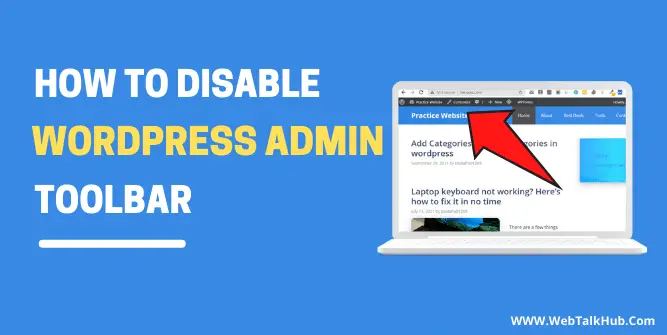
- How to Disable WordPress Admin Toolbar ( 4 Easy Ways )